

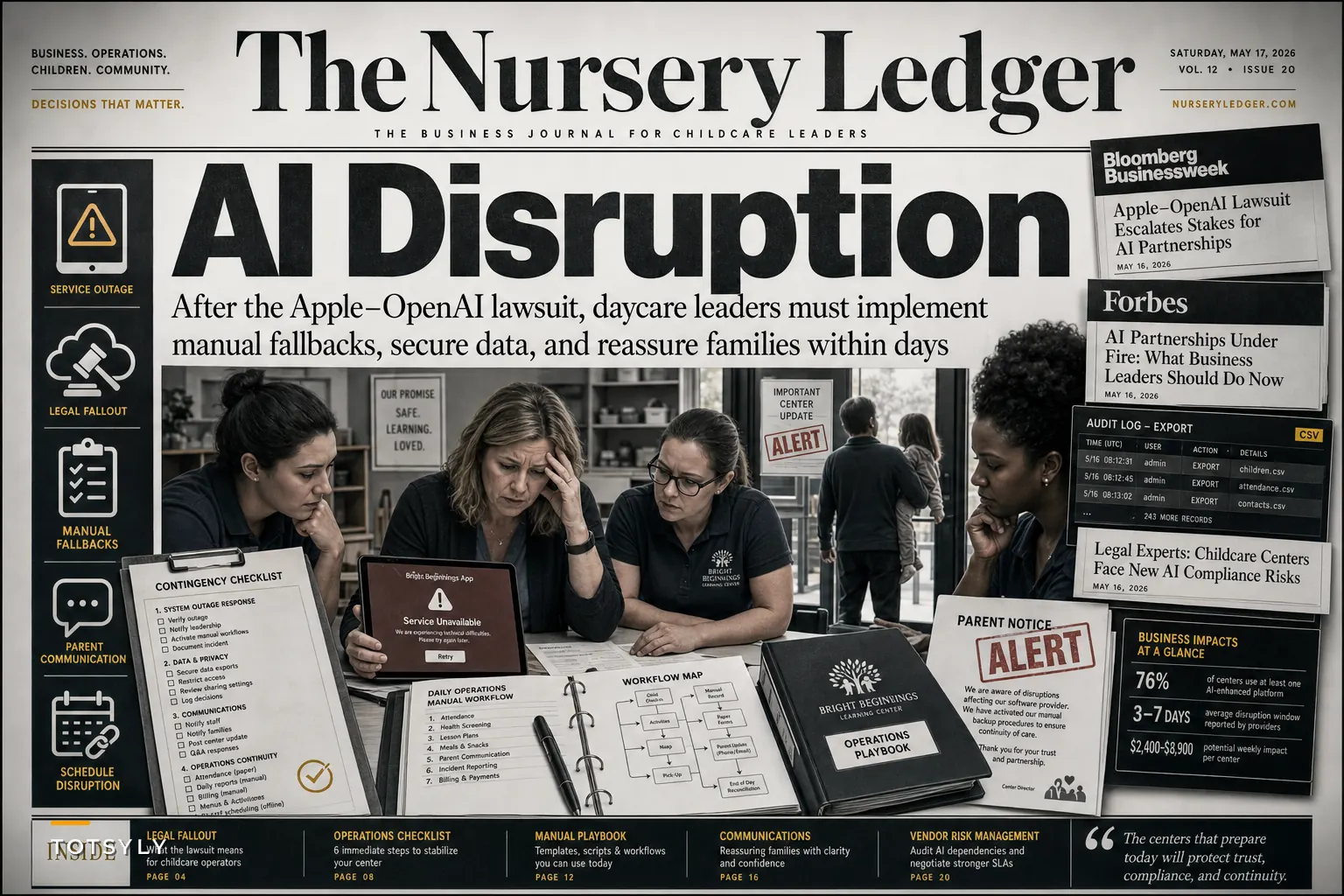

The news broke yesterday morning while I was reviewing vendor contracts for a daycare group in Austin. Apple filed suit against OpenAI, claiming trade secret theft and improper data use in AI model training. The director I was working with immediately pulled up her parent communication app—one that had recently added "smart scheduling suggestions"—and asked exactly what every childcare administrator should be asking right now: "What happens if our software vendors get caught in this?"
She wasn't being paranoid. The month before, her billing platform had quietly disabled its automated late-fee calculation after their AI provider got hit with a copyright claim. Her team spent roughly 14 hours that week manually processing overdue accounts.
The Apple-OpenAI dispute isn't just tech industry noise. It's creating real operational uncertainty for every daycare and preschool running software with embedded AI features—which at this point is basically everyone. Your attendance tracking system that "predicts" absences. Your compliance dashboard that "intelligently flags" licensing issues. All of it is potentially on shaky ground.
Why childcare operations are uniquely vulnerable to AI vendor disruption
Childcare centers have adopted AI-enhanced software faster than almost any other small business sector. That's not surprising—you're managing complex ratio requirements, multi-state compliance rules, constantly shifting schedules, and parents who expect instant updates on everything.
The problem is that most of these features rely on third-party AI services your vendor doesn't actually control. Your scheduling software probably pulls from OpenAI, Claude, or Google's models behind the scenes. Your documentation system might tap multiple AI providers for different features. When legal disputes hit those upstream providers, features disappear overnight—sometimes without any notice to you.
A preschool network in Phoenix ran into this about three weeks ago. Their enrollment management system used AI to predict waitlist movement and suggest optimal classroom assignments. The feature disappeared without warning when their vendor's AI provider faced a patent dispute. They had 47 families on waitlists across four locations and suddenly no visibility into projected openings. Two families eventually withdrew after waiting indefinitely for updates the staff simply couldn't provide anymore.
The operational chaos isn't theoretical. Centers are losing features mid-enrollment season, during state inspections, and right before tuition processing deadlines.
The hidden compliance nightmare nobody's really talking about
The scheduling headaches are bad. But what's more concerning is the documentation trail.
Simplify your childcare center’s daily operations.
Totsyly helps you manage enrollments, staff, and communications efficiently so you can focus on care.
- Streamlined enrollment & waitlist management
- Automated billing & payment tracking
- Staff scheduling & attendance monitoring
No credit card required
State licensing agencies have gotten increasingly strict about audit records. Many states now expect you to demonstrate exactly how enrollment decisions were made, how incident reports were generated, and what information was used to determine staffing levels. When your AI-powered compliance tool reverts to basic functionality, that documentation chain breaks.
A center in Denver discovered this during a routine inspection last month. Their incident reporting system had been using AI to categorize events and suggest follow-up actions. When AI features got pulled due to a vendor licensing dispute, three months of categorization data effectively vanished. The inspector classified it as incomplete documentation—a critical finding that triggered increased oversight visits.
The frustrating part? Most vendor contracts explicitly disclaim liability for feature changes. That standard clause about "features subject to modification without notice" applies to AI functionality disappearing overnight too. Legal recourse is almost never realistic.
Six operational moves to make before your vendor's AI features disappear
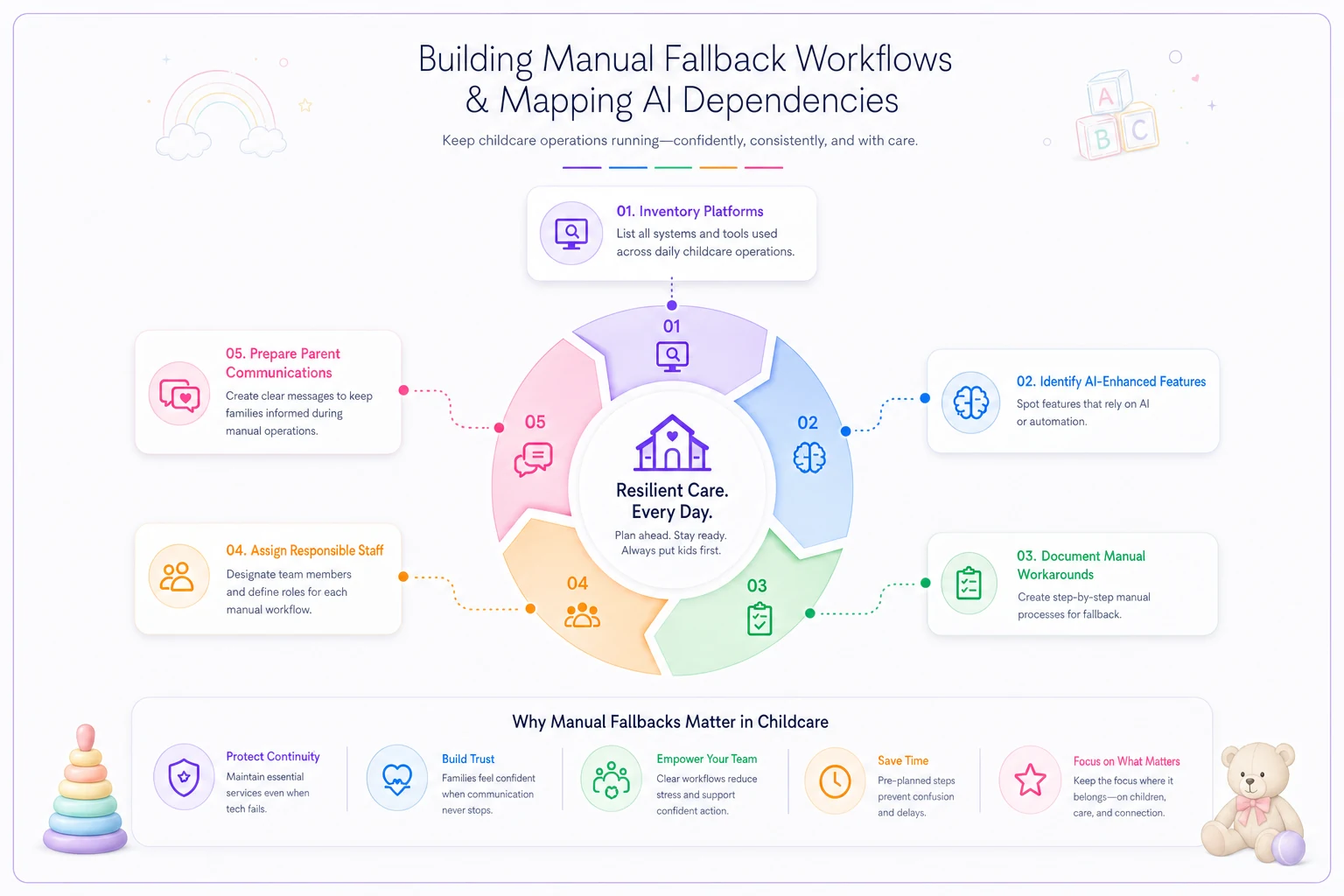
1. Map your AI dependencies (today, not tomorrow)
Pull up every software platform your center uses. Document which features specifically mention AI, machine learning, "smart," "predictive," or "automated insights."
| Platform Name | AI-Enhanced Features Used | Manual Workaround | Time Required | Staff Contact |
|---|---|---|---|---|
| [Platform] | [Feature list] | [Workaround steps] | [Est. time] | [Name] |
Don't just list the obvious ones. That "suggested response" feature in your parent messaging app? AI. The "anomaly detection" in your attendance tracker? AI. The "optimize schedule" button you never really understood? Definitely AI.
This doesn't need to be a perfect document. A rough spreadsheet you actually finish beats a polished template you never complete.
2. Demand transparency about AI providers
Email every vendor this week with a simple request: "Please identify which third-party AI services power our platform's features."
You'll get three types of responses. Some vendors will provide detailed information—keep those vendors. Others will claim it's proprietary—that's a red flag. The third group won't respond at all—start shopping for alternatives.
A daycare chain in Tampa did this exercise and discovered their scheduling platform used four different AI providers for various features. When one provider faced legal challenges, only the shift-swap suggestions broke—but at least they knew exactly what to expect and could plan around it.
3. Build manual fallback workflows now
For every AI-enhanced feature you depend on, document the manual process. Not the ideal one—the realistic process your team can actually execute during a busy morning drop-off.
-
Trigger point (when to switch to manual)
-
Responsible person
-
Step-by-step process
-
Approximate time needed
-
Documentation method
Having this written down before you need it is the whole point. Trying to figure out a workaround in the middle of a compliance visit is a very different experience.
Laminate manual calculation cards for each classroom and store them where staff can grab them during drop-off.
A quick workflow to follow:
4. Negotiate AI-specific SLA terms
Your next contract renewal is your leverage moment. Add specific language around AI feature availability.
Request terms like:
-
72-hour notice before AI feature removal
-
Documented manual alternatives for any AI feature
-
Service credits if AI features are unavailable for more than 48 hours
-
Data export capabilities if AI categorization or tagging is lost
Most vendors will push back. Point out that you're not asking for guaranteed AI features forever—just reasonable notice and workable alternatives. A preschool group in Seattle got their billing platform to agree to 30-day notice for AI feature changes after showing how sudden changes had affected their cash flow projections. More vendors will agree to this than you'd expect.
5. Separate critical from convenient
Not every AI feature carries the same operational weight. Automated staff scheduling suggestions? Convenient. Compliance documentation categorization? Critical.
Rank each AI feature:
-
Critical
Directly impacts licensing, safety, or financial operations
-
Important
Significantly saves time but has clear manual alternatives
-
Convenient
Nice to have but easily worked around
Focus your risk management on the critical tier. One center discovered their "AI-powered" newsletter generator was consuming most of their vendor negotiation energy while their actually critical ratio monitoring feature had zero protection. That's a common mistake—it's easy to protect what you use most visibly rather than what matters most operationally.
6. Create parent and staff communication templates
When features disappear, parents notice quickly. "Why didn't I get my usual Thursday preview?" "The daily report looks different." "I can't see the development milestone predictions anymore."
Draft templates now for:
-
Feature temporarily unavailable (with timeline)
-
Feature permanently removed (with alternative)
-
Data presentation change (what's different and why)
-
Manual process notice (what parents need to do differently)
Keep them friendly but factual. Parents don't need the legal backstory—they just need to know how it affects them and what to expect next.
The audit-trail problem that could shut you down
This connects directly to a broader compliance challenge childcare centers face. When AI features disappear, you don't just lose functionality—you lose documentation continuity. Your licensing audit framework becomes critical here, especially if you're operating across state lines with different documentation requirements.
State inspectors increasingly expect consistent documentation methods. If your incident reports suddenly change format because AI categorization disappeared, inspectors flag it as a process inconsistency. A center in Oregon ended up on provisional license status after their documentation format changed three times in six months due to AI feature instability. Three format changes in one year is enough to raise serious flags with most licensing bodies.
The solution isn't avoiding AI-enhanced tools entirely. It's building operational resilience that assumes features will change. Document your base processes first, then layer AI enhancements on top—never the other way around. That order matters more than most people realize until it's too late.
Real scenario: How one center navigated sudden AI feature loss
Bright Beginnings Academy in Columbus ran 3 locations with around 340 enrolled children. They used an all-in-one management platform that handled everything from attendance to billing to parent communications—heavily marketed around its "AI-powered insights" for enrollment optimization and staff scheduling.
On a Tuesday morning in May, half the platform's features stopped working. The AI provider behind several core functions had suspended service due to a contract dispute. Bright Beginnings lost automated waitlist predictions, staff schedule optimization, incident report categorization, parent message suggested responses, and billing anomaly detection—basically overnight.
The director, who had mapped dependencies two months earlier after reading about another vendor's issues, immediately activated manual workflows. Staff leads had laminated process cards. The office manager pulled pre-written parent communications. They switched to paper ratio tracking sheets they'd prepared but honestly never expected to actually use.
Were things perfect? No. Processing afternoon ratios took around 25 minutes instead of being automatic. Parent messages took longer without suggested responses. But operations continued—no ratio violations, no missed billing cycles, no compliance breaks with licensing.
The platform restored most features after six days. Bright Beginnings kept their manual processes documented and ready, and they've since added AI feature availability as a scored element in their annual vendor reviews. That last part is worth copying.
Moving forward: Build operations that assume instability
The Apple-OpenAI lawsuit is probably just the beginning. As AI technology matures, there will be more IP disputes, more regulatory challenges, and more sudden feature changes. The centers that come out ahead through this period won't be the ones with the most advanced tools—they'll be the ones with the most stable operations underneath those tools.
Start with the six steps above this week. Don't wait for perfect documentation or ideal workflows—rough manual alternatives beat scrambling during morning drop-off when features vanish without warning.
Your parents trust you with their children. Your staff depends on predictable workflows. A vendor's upstream legal dispute shouldn't be able to compromise either of those things—and with some basic preparation, it doesn't have to.
Ready to elevate your childcare management?
Join hundreds of childcare providers using Totsyly to save time, improve communication, and grow their centers.