

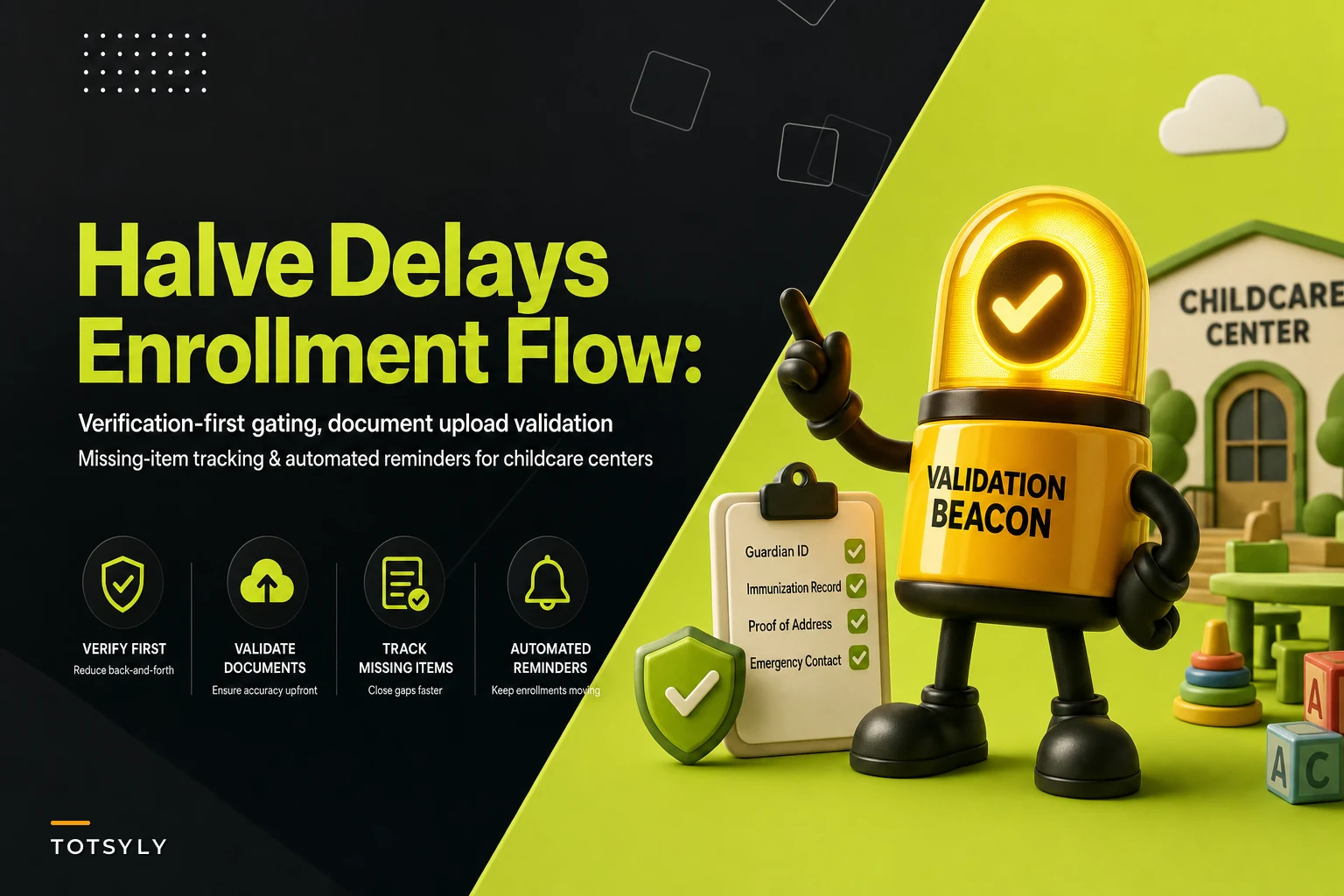

The slowest part of enrolling a family usually isn't the tour, the deposit, or the classroom placement. It's the two weeks after a parent says "yes" — that stretch where you're chasing an immunization record, a signed emergency contact form, or a custody order that got uploaded sideways and is completely unreadable.
Most centers treat intake as a form to collect. That's the mistake. Intake is a verification process. When you build around verifying instead of just collecting, the whole timeline compresses. Families that used to take 12–15 days to become "start ready" can hit that mark in 5–7.
This is the piece almost nobody designs on purpose.
The real bottleneck: you're collecting forms, not clearing requirements
The failure pattern that shows up over and over in a childcare digital enrollment workflow goes like this: a parent fills out an online packet, hits submit, and everyone assumes the file is complete. It isn't. It's submitted. Those are different things.
A submitted enrollment can be missing:
-
The second page of an immunization record (parent photographed only the front)
-
A signature on the medical authorization but not the field‑trip consent
-
Proof of income for subsidy families, uploaded as a blurry screenshot
-
An emergency contact who's listed but has no phone number
-
The custody/pickup documentation that legally gates who can collect the child
What happens next is the quiet killer. The form sits in someone's inbox or a shared folder. Nobody's explicitly assigned to check it against a requirements list. Three days later a director notices the start date is Monday, opens the file, and realizes half of it is unusable.
Now you're doing frantic same‑day chasing. And often the child can't legally start until those items clear — so you've lost a week of tuition and burned goodwill with a family that thought they were done.
The root cause isn't lazy parents. It's that the intake form accepted incomplete input in the first place. If your process lets someone submit without the required pieces, you've guaranteed a follow‑up cycle. You just haven't scheduled it yet.
Required‑field gating: stop incomplete packets at the door
The single highest‑leverage change is gating — the form simply won't submit until required conditions are met. Not "please remember to attach your immunization record." Actually blocked.
Simplify your childcare center’s daily operations.
Totsyly helps you manage enrollments, staff, and communications efficiently so you can focus on care.
- Streamlined enrollment & waitlist management
- Automated billing & payment tracking
- Staff scheduling & attendance monitoring
No credit card required
There's a meaningful difference between soft prompts and hard gates:
| Approach | What it does | What actually happens |
|---|---|---|
| Soft reminder ("don't forget X") | Suggests, doesn't enforce | ~30–40% of packets still arrive missing something |
| Required‑field gating | Blocks submission until met | Missing‑item rate drops close to zero at intake |
| Conditional gating | Shows/requires fields based on answers | Right documents get requested for the right families |
That third row matters more than people expect. A family enrolling an infant needs a feeding plan and safe‑sleep acknowledgment that a preschool family doesn't. A subsidy family needs income documentation a private‑pay family never sees. If your form shows every field to everyone, parents get overwhelmed and abandon — or they upload junk into fields that don't apply just to move forward.
Conditional gating means the form asks: Is this child under 12 months? Then require the infant packet. Is this a subsidized enrollment? Then require the eligibility docs. The parent only sees what's relevant, and every relevant item is mandatory.
One caution: don't over‑gate. If you make 40 fields required on page one, you'll tank completion. The move is to require what legally and operationally gates a start date, and let genuinely optional stuff stay optional. Gate the things that would otherwise stop the child from walking in the door.
Document upload validation: the part everyone skips
Getting a file uploaded is not the same as getting a usable file. This is where a lot of "complete" enrollments fall apart.
Common validation failures:
-
Wrong file entirely — a parent uploads a utility bill into the immunization slot
-
Unreadable image — dark, blurry, cropped, or rotated
-
Partial document — page 1 of a 2‑page record
-
Expired document — a physical exam form dated 14 months ago when your state requires within 12
Validation logic catches these at upload time instead of days later. At minimum you want checks for file type, whether the field was actually filled, and — for anything with an expiration — a date the reviewer confirms or the system flags.
A practical rule worth adopting: require the parent to confirm what they're uploading.
A simple "This is: [Immunization record ▾]" dropdown attached to each upload forces a moment of attention and gives your reviewer a labeled file instead of IMG_4471.jpg. It sounds small. It cuts mislabeled documents dramatically.
For the pieces a machine genuinely can't judge — is this custody order the current one? is this signature the legal guardian's? — you still need a human checkpoint. The point of validation isn't to remove the reviewer. It's to make sure they only ever look at complete, legible, correctly‑labeled files, so their judgment isn't wasted re‑requesting a readable copy.
The missing‑items workflow: assign it, don't hope for it
Even with strong gating, some items will lag. Subsidy paperwork depends on a county office. A doctor's office takes a week to return a form. Gating can't fix external delays. What it can do is make those delays visible and owned instead of forgotten.
A workflow that keeps late items from sinking a start date:
-
Every enrollment gets a live "outstanding items" status. Not a mental note — a visible list per child: what's received, what's pending, what's rejected and why.
-
Rejections carry a reason. When a reviewer bounces a blurry immunization page, the family sees "Immunization record — page 2 missing", not a silent reset to "incomplete."
-
Each outstanding item has an owner and a due date. Usually the family, sometimes staff (e.g., "director to verify custody doc").
-
A start date can't be confirmed while start‑gating items are open. Front desk can't accidentally green‑light a Monday start for a child with no medical authorization on file.
-
Cleared items update the status automatically so nobody re‑checks something that's already done.
The thing most centers miss: incomplete enrollments aren't a documentation problem, they're a tracking problem. The document was always going to arrive late. What kills you is not knowing, on any given Tuesday, exactly which three families are missing exactly which four items — so you're re‑reviewing whole files instead of chasing the specific gap.
If you already maintain a strong file‑retention structure, this is the front‑end that feeds it cleanly. Getting the right documents verified at intake is what makes retention and audit prep painless later — they're the same pipeline viewed from opposite ends.
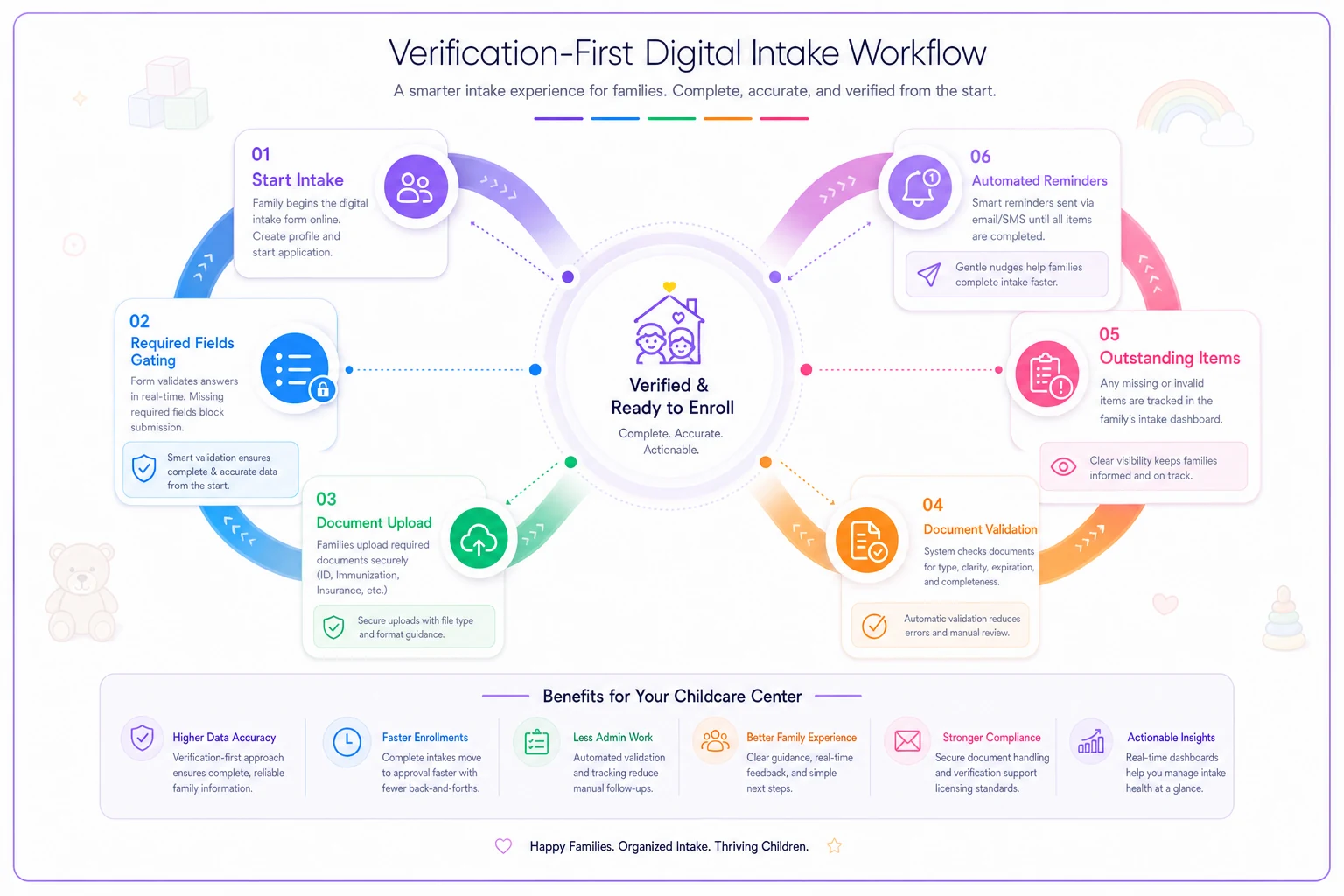
A quick visual of how gating, validation, tracking, and reminders connect.
Automated reminders that actually move families
The chase is where staff hours evaporate. Someone manually emails a parent, waits, forgets, remembers four days later, emails again, then calls. Across 20–30 pending enrollments, that's a real chunk of a director's week spent being a human reminder system.
The fix is sequenced, automatic follow‑up tied to the specific missing item — not a generic "your enrollment is incomplete" blast.
-
Day 0 (submission) confirmation listing exactly what's outstanding, with upload links per item
-
Day 2 friendly reminder naming only the still‑missing pieces
-
Day 5 reminder that references the start date directly ("these two items are needed before Sept 9")
-
Day 8 shift channel — a text or a prompt for staff to make a personal call
Two details separate reminders that work from reminders that annoy.
Specificity. "You're missing your child's immunization record (page 2) and the field‑trip consent signature" gets action. "Your enrollment is incomplete" gets ignored, because the parent has no idea what to do and assumes they already did it.
Auto‑stop on receipt. Nothing damages trust faster than a family uploading the last document and still getting a reminder the next morning telling them they're missing it. Reminders must key off live status, so the moment an item clears, its reminder sequence stops.
A real scenario: two locations, one stuck queue
A two‑site preschool group — roughly 140 licensed spots between them — was running fall enrollment through a PDF packet emailed to families and a shared drive for uploads.
Their intake reality before any changes:
-
Around 35–40% of returned packets were missing at least one required item
-
Average time from "family says yes" to "start ready" ran 12–14 days
-
The office lead estimated 6–8 hours a week during peak season purely on document chasing
-
A handful of families each season had to push their start date a full week because medical clearance wasn't verified in time — real lost tuition on already‑committed spots
They rebuilt intake around gating and validation: required‑field blocks on submission, conditional infant‑vs‑preschool document sets, labeled uploads with a reviewer checkpoint, a live outstanding‑items view per child, and item‑specific automated reminders.
After a full enrollment cycle:
-
Packets arriving incomplete dropped to a small handful — the ones held up by external offices, not parent error
-
Start‑ready time landed around 5–7 days
-
Weekly chasing fell to 1–2 hours, mostly following up on genuine external delays
-
No start dates slipped that season for missing internal documentation
Nothing here was magic. They didn't get better parents. They stopped accepting incomplete input and made the remaining gaps visible and owned.
When a verification‑first workflow is worth it — and when it isn't
It makes sense when:
-
You enroll more than a handful of families per season and the chasing has a real time cost
-
You handle subsidy or custody documentation where a missing item is a compliance issue, not just an inconvenience
-
Start dates regularly slip because clearance lands late
-
Multiple staff touch intake and things fall between them
It's overkill when:
-
You're a tiny in‑home program enrolling a few children a year — a checklist and a phone call genuinely covers it
-
Your enrollment is year‑round trickle rather than a seasonal rush, so nothing ever piles up
Who should be careful: anyone tempted to gate everything. The goal is to require what blocks a start date, not to build a 50‑field wall that scares families off before they finish. Start by gating the three or four items that legally or operationally stop a child from beginning, then expand only if you're still seeing gaps.
The mindset shift that makes it stick
Centers that fix enrollment delays stop thinking of intake as collecting paperwork and start thinking of it as clearing a child to start. Those are different jobs. Collecting is passive — you take whatever arrives. Clearing is active — every child has a defined set of requirements, and you know at a glance which are met.
Gating enforces the requirements at the door. Validation makes sure what arrives is usable. The missing‑items workflow makes remaining gaps visible and owned. Automated reminders do the chasing so your staff doesn't have to. None of these are complicated. Most centers just never assembled them into one deliberate pipeline — they built a form and hoped.
Build the verification in, and the delays you've been treating as normal turn out to be optional.
Ready to elevate your childcare management?
Join hundreds of childcare providers using Totsyly to save time, improve communication, and grow their centers.