

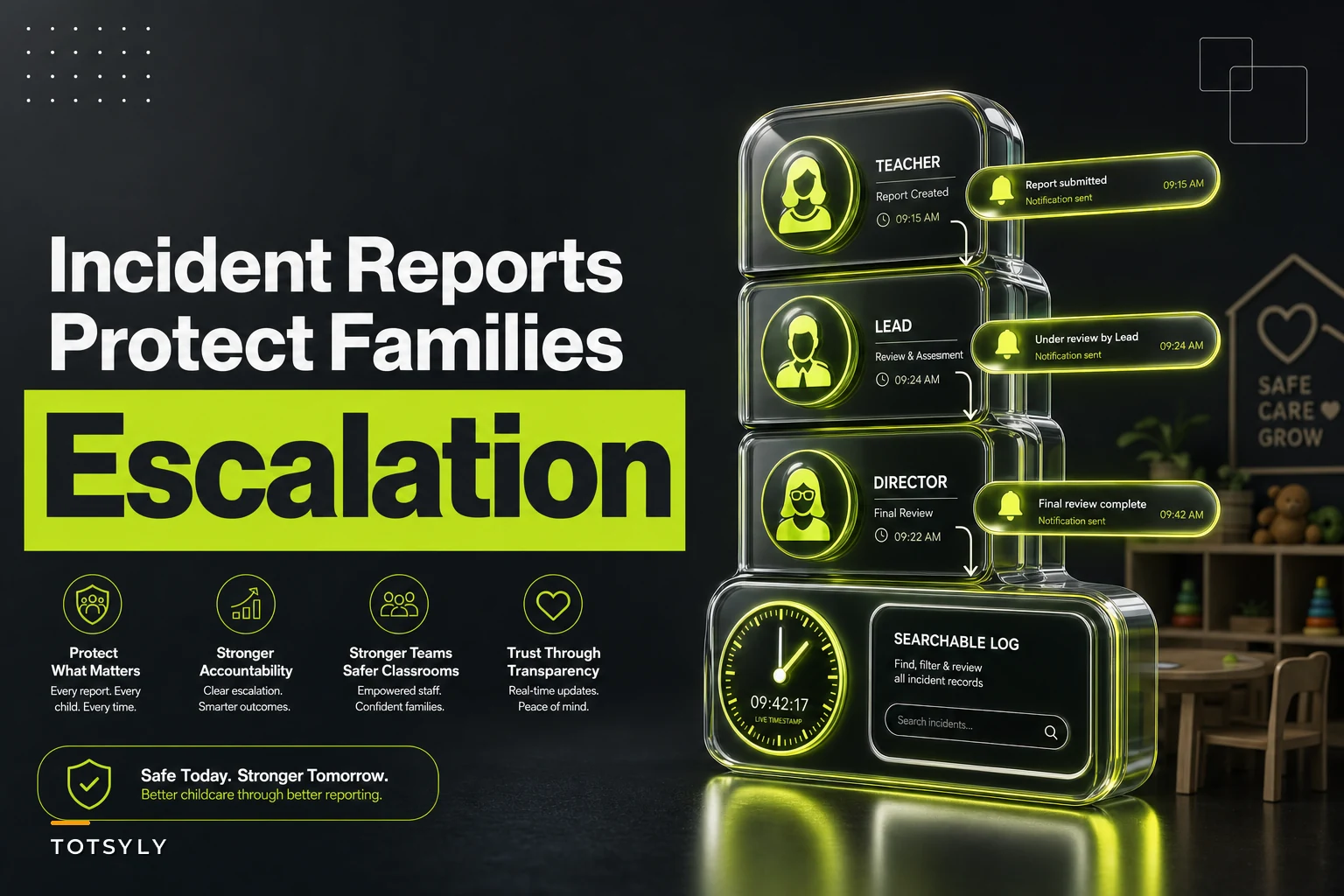

A toddler trips at the water table and splits their lip. That part is unavoidable — kids fall, and any experienced administrator knows a certain rate of bumps, bites, and scrapes just comes with running a room full of two‑year‑olds.
One teacher writes it on a sticky note. Another mentions it verbally at pickup. The lead never hears about it until the parent calls the next morning asking why their kid came home with a swollen lip and no explanation. Now you're reconstructing an event from memory, three staff members remember it differently, and the parent's first impression is that something got hidden.
That's the real problem a childcare incident reporting workflow solves. Not documenting that a kid fell — but making sure every incident, from a minor scrape to a head injury, flows through the same predictable path every single time, regardless of which teacher was in the room or how busy the afternoon got.
The five failure points where incident handling actually breaks
Before laying out a workflow, it's worth being specific about where centers actually lose control. The breakdowns almost always cluster in the same five spots:
-
Capture is optional or inconsistent. Minor incidents get verbally reported and never written down. When something later turns out to be more serious than it looked, there's no record.
-
Escalation depends on who's around. If the director happens to be in the building, it gets escalated. If she's off‑site, the incident sits until she's back.
-
Family notification is improvised. One teacher over‑explains and admits fault. Another under‑explains and downplays. Neither is intentional — there's just no script.
-
Retention is a black hole. Reports end up in a folder, a binder, a shared drive, or nowhere. Nobody can tell you which incidents happened to which child over the last 12 months.
-
All incidents get treated the same. A diaper rash note and a suspected concussion move through the exact same — or exactly no — process, so the serious ones don't get the urgency they need.
None of these are about staff being careless. They're process gaps. The teacher who forgot to write up the lip bump wasn't lazy — she had eight other kids and no fast, obvious way to log it in the moment.
Start with incident‑type differentiation — everything downstream depends on it
The single most useful thing you can do is stop treating incidents as one category. The response to a bug bite should not look anything like the response to a fall from the climber that involved the head.
Simplify your childcare center’s daily operations.
Totsyly helps you manage enrollments, staff, and communications efficiently so you can focus on care.
- Streamlined enrollment & waitlist management
- Automated billing & payment tracking
- Staff scheduling & attendance monitoring
No credit card required
| Tier | Examples | Escalation timing | Family notification | Documentation depth |
|---|---|---|---|---|
| Tier 1 – Minor | Small scrape, minor bruise, diaper rash, mild bug bite | Log same day; no immediate director alert required | At pickup, plus written note | Basic form: what, where, when, action taken |
| Tier 2 – Moderate | Bite that breaks skin, fall with visible mark, minor allergic reaction | Notify director/lead within the hour | Phone call or message during the day | Full form + photo (per policy) + witness names |
| Tier 3 – Serious | Head injury, injury needing off‑site medical care, suspected fracture, breathing/allergic emergency | Immediate — director + owner, plus any licensing‑required reporting | Immediate phone call, before any other messaging | Full form + timeline + all witnesses + follow‑up log |
The value here isn't the exact tiers — it's that once an incident is categorized, the entire downstream response becomes predictable. Staff aren't deciding in the moment whether this is a "call the parent now" situation. The tier decides for them.
One thing worth flagging: the most dangerous misclassifications are almost always Tier 2 events that feel like Tier 1 in the moment. A head bump that leaves no mark can still be serious. Build your training around that gray zone specifically, not the obvious extremes.
The capture form: designed for the teacher holding a crying child
Most incident forms are built for the file cabinet, not for the person actually filling them out. If your form takes six minutes and requires the teacher to leave the room, it won't get filled out in real time — it'll get reconstructed at nap or after close, which is exactly when memory gets fuzzy and details drift.
-
Fast fields first. Child name, time, location, tier — checkboxes and dropdowns, not paragraphs.
-
Structured description prompts. Instead of a blank box, use guided prompts: What was the child doing? / What happened? / What did staff do immediately? / Current status of child? This produces consistent reports and prevents the accidental admission‑of‑fault language that creates liability.
-
Witness capture. A field for other staff present. This matters enormously if an incident is ever disputed.
-
Photo option gated by tier and policy. Some states and some parents have strong feelings here — make it a deliberate, policy‑driven choice, not a casual habit.
-
A required action field. Not just what happened, but what was done. "Applied cold compress, monitored for 20 minutes, no swelling" reads very differently to a worried parent than a bare description of the injury.
The wording on the form is doing legal work whether you realize it or not. Coach staff to describe observable facts, not conclusions. "Child was running and fell near the block shelf" is a fact. "Child wasn't being supervised properly" is a conclusion — and it's not one you want a staff member volunteering in writing.
Internal escalation: remove the "is the director here?" dependency
The escalation step fails most often because it's tied to a person's physical presence instead of a defined path. If your escalation rule is effectively "tell Maria when you see her," it collapses the moment Maria is at a licensing meeting or out sick.
-
Teacher categorizes the tier at capture.
-
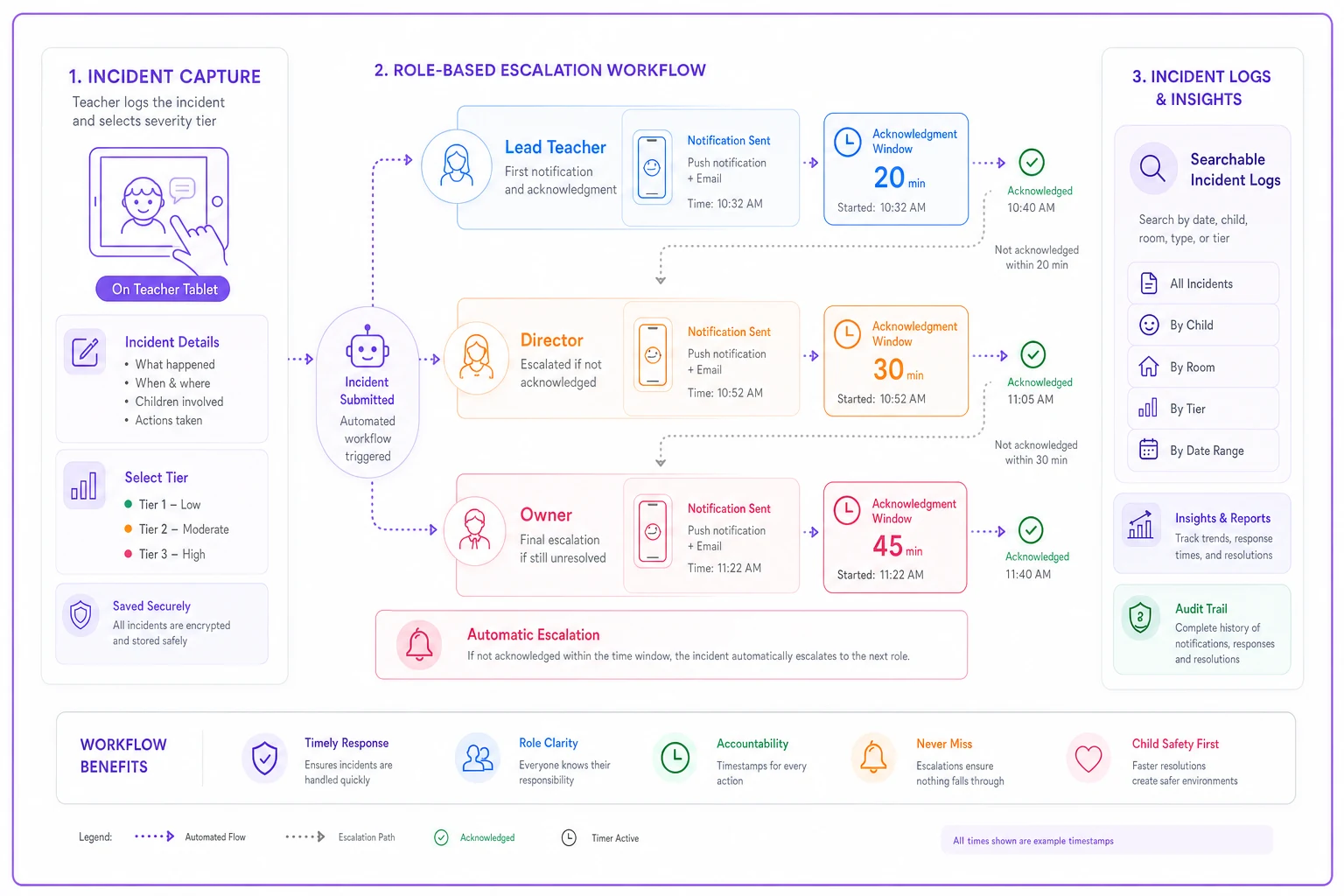
Tier determines the alert. Tier 1 posts to the daily log. Tier 2 and 3 push an immediate notification to whoever is on the escalation chain — not just one named person, but a role: lead teacher → director → owner.
-
Acknowledgment is required. Someone up the chain has to confirm they saw it. If no one acknowledges a Tier 3 within a set window, it escalates further.
-
The escalation is timestamped. You want a record showing the incident was reported at 10:14 and acknowledged by the director at 10:19. That timeline is your best friend if anything is ever questioned.
This is one area where an AI‑assisted operational platform genuinely reduces risk rather than just adding steps. When a teacher logs a Tier 3 incident on a tablet, the system can immediately route the alert to the right roles, start an acknowledgment clock, and flag if a licensing notification applies — without the teacher needing to remember the chain or leave the classroom. The point isn't automation for its own sake; it's that the highest‑stakes incidents stop depending on someone happening to be in the right place.
A compact visual of that escalation flow helps teams follow it quickly.
The point isn't automation for its own sake; it's that the highest‑stakes incidents stop depending on someone happening to be in the right place.
Family notification scripts: consistency is the whole game
The gap between a parent who trusts you and a parent who calls a lawyer is often just how they were told. Two centers can handle the exact same bite incident — the one with a calm, clear, consistent script keeps the family, while the one that improvised loses them.
> "Hi [parent name], this is [name] from [center]. I want to let you know about something that happened today — everyone's okay, and I want to walk you through it. [Child] was [activity] and [what happened]. Here's what we did right away: [action taken]. [Child] is currently [status]. We're keeping an eye on [specific thing]. Do you have any questions, and is there anything you'd like us to watch for at pickup?"
Notice the structure: reassurance first, facts second, action taken third, current status, then an open door. It never speculates about cause and never assigns blame. Every family gets the same calm, factual treatment whether the teacher delivering it is a 20‑year veteran or a three‑week hire.
For Tier 3, the rule is simple and non‑negotiable: phone first, before any written message goes out. A parent should never learn about a serious injury from an app notification. Written follow‑up comes after the call, and it should match what was said on the phone — inconsistency between the verbal and written versions erodes trust faster than almost anything else.
Retention rules: the part everyone ignores until an audit or a lawsuit
A lot of otherwise well‑run centers quietly carry risk here. They capture incidents fine, notify families fine — and then the reports scatter. Some in a binder, some in email, some in a former director's desk drawer.
-
A single source of truth. Every incident, every tier, in one place, searchable by child and by date. If a parent asks how many times their child has been bitten this year, you should be able to answer in under a minute.
-
Tier‑based retention periods. Minor incidents and serious injuries don't need the same timeline. Set periods that meet or exceed your state's licensing requirements — and when in doubt, keep the serious ones longer.
-
Access controls. Not everyone should see every child's incident history. Line staff see what they need for the children in their care; full histories sit with leadership.
The pattern to avoid: keeping incident records so casually you can't produce them on demand, and so loosely that anyone can browse them. Both extremes create problems.
Real scenario: a two‑room center that stopped losing the thread
A center licensed for around 60 kids across four classrooms had a recurring pattern — roughly two or three "surprise" parent complaints a month where a family found out about an incident after the fact and felt blindsided. Nothing catastrophic, mostly Tier 1 and Tier 2 events that never got communicated because the reporting teacher assumed someone else had mentioned it.
They rebuilt the workflow around three changes: a tiered capture form on a tablet in each room, a role‑based escalation path that didn't depend on the director being on‑site, and prewritten notification scripts by tier. Within a couple of months, the surprise complaints dropped to nearly zero — not because fewer incidents happened, but because every one now flowed through the same path. Same‑day capture went from maybe 60% of incidents to nearly all of them. And when their annual licensing visit came, pulling incident history by child took minutes instead of the previous scramble through binders and emails. The director's summary was blunt: the injuries didn't change, but the sense that things were being handled did.
When to keep it simple — and when the full workflow is overkill
If you're running a small in‑home program with two staff and a handful of children, you probably don't need automated escalation chains. A shared logbook, tier definitions, and prewritten scripts will cover most of your risk. Adding heavy tooling to a tiny operation just creates process friction nobody maintains.
The full end‑to‑end workflow — automated routing, acknowledgment tracking, centralized retention — earns its keep once you're running multiple classrooms, dealing with regular staff turnover, or operating more than one site. That's the point where "just tell the director" stops working, because there are too many rooms, too many shifts, and too many people who need to stay in the loop. The one thing every center should do regardless of size is the incident‑type differentiation. Even a two‑person program benefits from knowing, in advance, that a head bump gets a phone call and a diaper rash gets a pickup note. That single decision removes the in‑the‑moment guesswork that causes most of the trouble.
Bringing it together
The centers that handle incidents well aren't the ones with the fewest injuries — that's not something you fully control. They're the ones where every incident, big or small, moves through the same predictable path: captured the same way, escalated by tier instead of by who's around, communicated with a consistent script, and stored somewhere you can actually find it a year later.
Build the tiers first. Make capture fast enough that busy teachers actually use it in the moment. Script the family conversations before you need them. Keep your records in one defensible place. Do that, and the 45 minutes after an incident stops being your biggest liability — and starts being the thing families remember you got right.
Ready to elevate your childcare management?
Join hundreds of childcare providers using Totsyly to save time, improve communication, and grow their centers.