
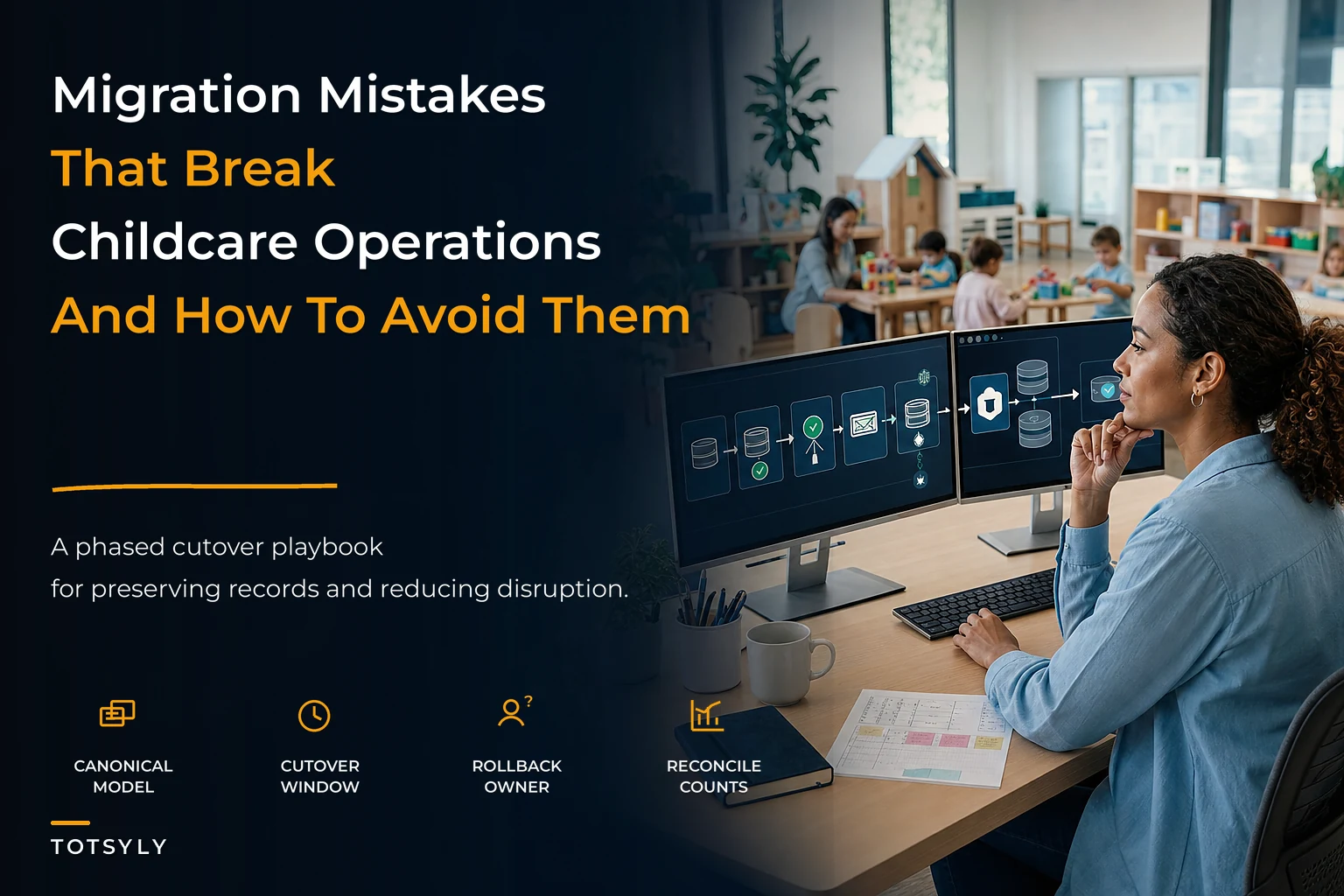

Switching childcare platforms looks simple on a sales call and often turns into a mess weeks later. The demo shows a clean dashboard, someone promises "we'll handle the import," and everyone signs off feeling good — then data lands sideways and staff are re-entering records.
Most migration failures aren't technology failures; they're planning failures. Vendors rarely lie, but centers underestimate how tangled their own data is and don't build a real cutover plan. Treat migration as a systems and governance project, not just a software swap.
This playbook covers vendor vetting, canonical data modeling, phased cutovers with rollback triggers, and integration governance so your history survives the move and Monday morning looks like Friday.
Why migrations quietly break operations
Childcare data rarely lives in one clean system. Family details, emergency contacts, immunizations, and subsidy records often sit across billing tools, spreadsheets, and paper binders. Migration merges several messy sources that never fully agreed with each other.
Timing makes this worse. Centers typically migrate mid-year when operations are live — billing, attendance, and licensing are all active. There is rarely a quiet period to safely flip systems.
A common pattern: an initial import seems fine, then weeks later sibling links, discount rules, or historical invoices are missing and billing diverges. Damage often leaks out slowly, making it hard to tell whether anomalies are migration-induced or ordinary changes.
Vendor RFP checklist: what actually separates good vendors from demo-good vendors
Features matter less than data portability, import ownership, and testability. Ask vendors to answer the following in writing so you can score them objectively.
Simplify your childcare center’s daily operations.
Totsyly helps you manage enrollments, staff, and communications efficiently so you can focus on care.
- Streamlined enrollment & waitlist management
- Automated billing & payment tracking
- Staff scheduling & attendance monitoring
No credit card required
-
Data export on demand in CSV or via API without gatekeeping
-
Clear historical record retention for closed enrollments and past invoices
-
Defined import ownership and a vendor-run validation/reconciliation process
-
A sandbox or test environment loaded with your real data before go-live
-
Field-mapping documentation showing exactly how old fields map to new ones
-
Documented rollback support with a defined data freeze point
-
A complete integration list showing native connections and what needs custom work
| RFP question | Weak answer | Strong answer |
|---|---|---|
| Data export | "Contact support to request a copy" | "Self-serve export anytime, full history included" |
| Migration ownership | "We import your file" | "We import, then run a reconciliation report you sign off on" |
| Historical invoices | "We keep the current year" | "All invoices retained and searchable indefinitely" |
| Test environment | "You'll see it after go-live" | "We load your data into a sandbox for a 2-week validation window" |
| Rollback | "That won't be necessary" | "Documented rollback with a defined data freeze point" |
Score vendors on these data and process questions, not just on a pretty parent app. The software is an execution engine; vendor accountability and testability determine whether migrations succeed.
Build a canonical data model before you export anything
Before touching either system, define your canonical data model: what core records look like independent of software. Map both your old export and the new import to that model so you can verify imports against it.
Families — the household unit including guardians, contact info, emergency contacts, authorized pickups, sibling relationships, and subsidy links. Everything else hangs off this record.
Enrollments — links between a child and a program/room with start/end dates, schedule, rate plan, and status. Historical enrollments matter as much as active ones.
Invoices — every charge, credit, discount, and payment tied to a family and date, including closed and paid invoices needed for disputes, taxes, and audits.
Attendance — daily check-in/check-out records tied to a child and enrollment with staff and timestamps; used for ratios, billing verification, and licensing.
Write down every field you use and every relationship between entities. If governance is lacking, fix it now. See what good childcare data governance looks like before mapping.
The phased migration and cutover playbook
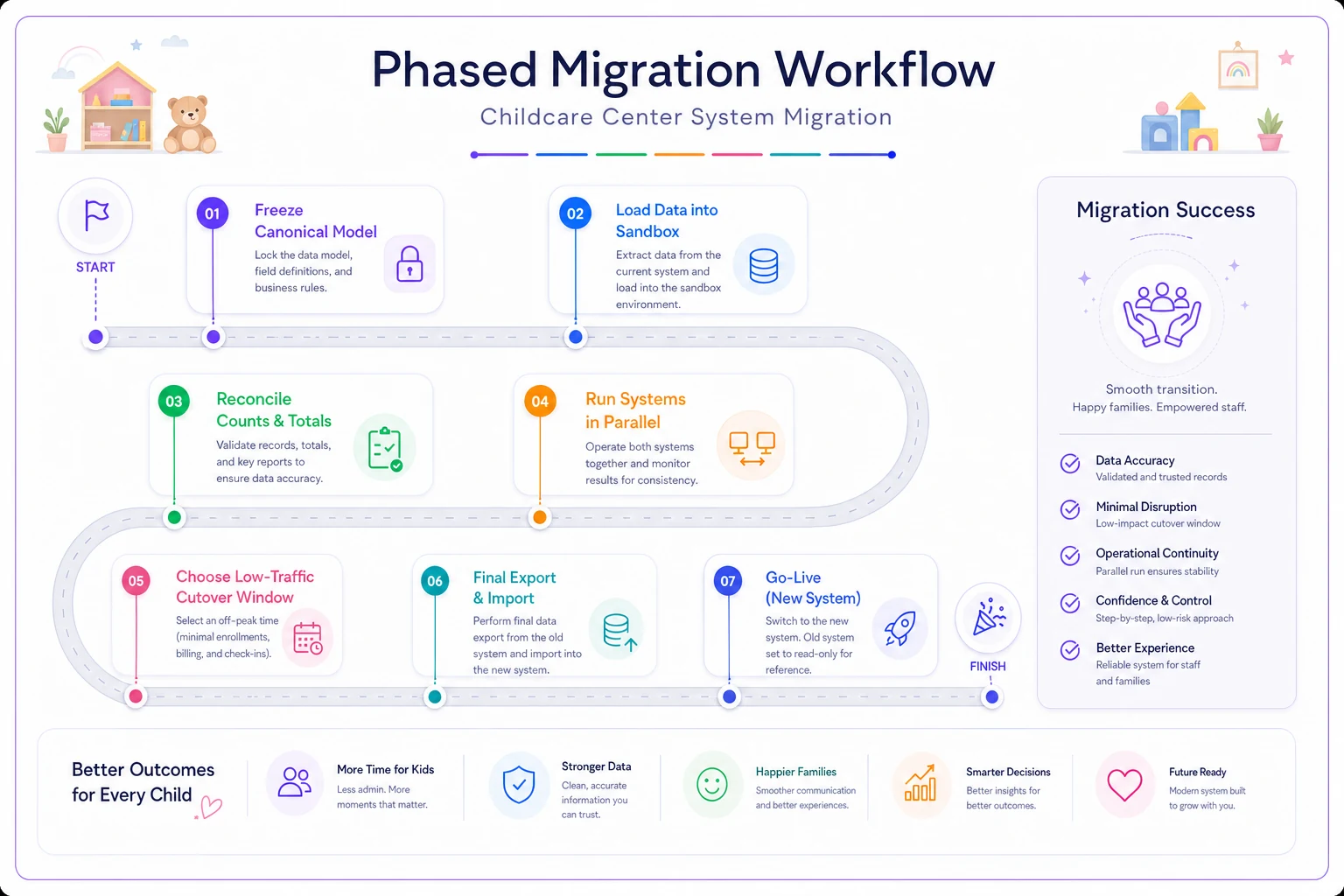
Avoid big-bang cutovers. A phased approach costs time upfront and prevents losing operational history or having staff re-enter weeks of records.
-
Freeze the model (field mapping) but keep daily operations running
-
Load a full test import into the vendor's sandbox using your real data
-
Reconcile counts and totals between old and new; stop on any mismatch
-
Run both systems in parallel for 1–2 weeks to catch discrepancies early
-
Schedule final cutover at a low-traffic point and set a hard data freeze
-
Perform final export/import and reconcile again; sign off in writing
-
Keep the old system read-only for at least one billing and licensing cycle
Define rollback triggers in writing and give one person authority to call a revert. Decide these before the cutover so emotion doesn't drive the choice under stress.
Roll back if any predefined trigger fires; revert to the old system, fix in sandbox, and re-attempt the cutover only after validation.
-
Outstanding balances don't reconcile within an agreed tolerance
-
Multiple families are missing or duplicated
-
Attendance history for the current licensing period is incomplete
-
Payment processing fails on the first live run
-
Staff cannot complete a normal check-in flow within the first hour
Integration and API governance: protecting your history
Integrations age worst after a migration. Each connection is a data-exit point and needs a documented purpose, scope, and retention rule.
Decide what data leaves and where it goes. Scope each integration to the minimum data needed so you don't rely on external vendors for your canonical history.
When you change an integration (for example, switch payment processors), export and attach historical transactions to your canonical records so you retain a complete billing trail.
A practical rule: your center should own exportable copies of families, enrollments, invoices, and attendance independent of any single vendor.
Before committing to payroll, accounting, or SSO vendors, get sandbox credentials and test end-to-end flows including provisioning, posting to accounting, and API limits.
| Vendor | One-line rationale | An integration strength | Two things to confirm |
|---|---|---|---|
| Rippling | Unified HR, payroll, and identity platform if you want one hub | Publishes SCIM and SSO provisioning APIs covering SAML/OIDC and Okta, Azure AD, and Google | 1) Whether payroll write operations and accounting sync you need are in the plan; 2) sandbox access and API rate limits before go-live |
| Gusto | Accessible payroll platform popular with smaller organizations | Documented webhooks and OAuth 2.0 API with scoped permissions for payroll and employee events | 1) Exact SAML/OIDC and plan-level SSO entitlements; 2) whether accounting posts summary or line-item detail to QuickBooks/Xero |
| Deel | Global payroll and contractor coverage across many countries | Public global payroll and SCIM APIs with production and staging endpoints | 1) Country-by-country API coverage and read-versus-write payroll access; 2) whether SAML SSO is included in your selected product tier |
| ADP | Enterprise-scale payroll with a partner marketplace model | Productized API access via ADP API Central on the ADP Marketplace | 1) Production access may require paid add-ons and security review; 2) which ADP product your provider uses |
For multi-site operators, inconsistent integrations across locations multiply reconciliation headaches. Apply the same sandbox-and-verify discipline across every site and integration.
A real scenario
A two-site preschool attempted a weekend big-bang cutover and by Monday had about 18 duplicate families, lost sibling discounts, and three weeks of infant attendance missing. They spent nearly 40 staff-hours cleaning up and handled parent billing complaints.
On their second attempt they built a canonical model first, ran a sandbox import, reconciled totals, and cut over on a Friday with the old system left read-only for six weeks. The director called the go-live "boring," which is the desired outcome.
When a migration makes sense — and when to wait
Don't migrate for style alone. Migrations make sense only when you need capabilities your current system can't provide and you can own the validation work and timing.
-
When it makes sense
current system genuinely lacks required functionality and you have a defined low-traffic window and reconciliation owner
-
When to wait
mid-licensing-cycle, right before an inspection, peak enrollment, or when pressured by a vendor discount deadline
-
Who should get help
centers whose data lives in more than three places without a single source of truth
A related caution: migrations touching billing can create cash-timing gaps if invoices, credits, or subsidy charges don't map correctly. Pair migration planning with cashflow forecasting and see avoiding cashflow surprises.
Where good operational software helps — and where it doesn't
Modern platforms help: self-serve exports, sandboxes, reconciliation reports, and import checks that flag duplicates or dropped relationships. Those features materially reduce migration risk when used correctly.
But software won't build your canonical model or decide rollback triggers. Operational knowledge — sibling discount rules, site-specific rates, and governance — must come from you. Treat the platform as an execution engine for your plan.
A migration is a stress test of how well you understand your data. If families, enrollments, invoices, and attendance are well-defined and linked, migration is mostly mechanical. If not, no vendor will save you — the mess just moves.
Do the unglamorous work first: define a canonical model, include vendor accountability in your RFP, phase cutover with reconciliation gates, set rollback triggers in writing, and govern integrations so you own a complete copy of your history. Boring go-lives are the goal.
Ready to elevate your childcare management?
Join hundreds of childcare providers using Totsyly to save time, improve communication, and grow their centers.