


The fragmentation problem in multi-site childcare doesn't announce itself. It creeps. One director signs up for a cheaper messaging app because the corporate one felt clunky. Another site keeps using paper sign-in sheets because "the tablet froze that one time." A regional manager buys a scheduling tool at a conference. Eighteen months later you're running four billing systems, three ways of tracking immunizations, and nobody can produce a clean enrollment number across the portfolio without someone spending a weekend in spreadsheets.
This is what happens when there's no governance layer sitting above the individual tools. Each decision made sense locally. The sum of those decisions is chaos — and the cost isn't just annoyance. It's audit risk, revenue leakage, duplicated licensing fees, and a leadership team that can't trust its own dashboards.
Strong childcare technology governance isn't about locking everyone into one rigid stack. It's about deciding which things must be standard, which can vary by site, and building the contracts, acceptance tests, and vendor lifecycle rules that keep the whole thing coherent as you add locations.
Start with the distinction most portfolios miss: standardize the contract, not the tool
When leaders finally notice the fragmentation, the instinct is to swing hard the other way — one vendor, one system, mandated everywhere, no exceptions. That usually backfires. A tool that's perfect for your 40-child suburban site is often wrong for your 150-child urban flagship with subsidy billing and a special-needs program.
What actually holds a portfolio together isn't tool uniformity. It's contract and data uniformity. Every system you buy, regardless of vendor, has to meet the same minimum requirements for:
-
how data comes out (export formats, API access)
-
what the vendor promises on uptime and support response
-
how children and families are identified across systems
-
who owns the data when the contract ends
Once those are standard, you can tolerate some tool variation across sites without losing the ability to roll everything up. A director can pick a preferred check-in app as long as it exposes attendance data in your required schema and hits your identifier standard. Govern the interfaces, not the icons.
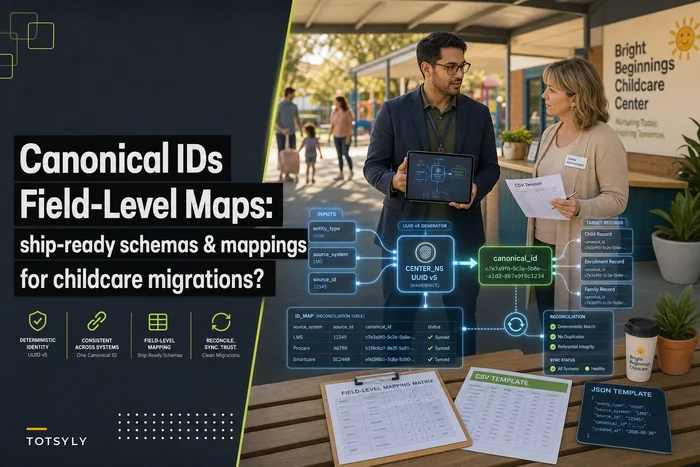
This also depends on having a shared data language across locations. If you haven't nailed down consistent field definitions, none of the contract standardization matters — you'll be reconciling "DOB" vs "birthdate" vs "birth_date" indefinitely. The groundwork in a canonical field-level schema and source-to-target mapping toolkit is what makes portfolio-level governance possible in the first place.
The procurement scorecard: how to evaluate vendors before you're locked in
Most childcare software gets bought on a demo and a gut feeling. The sales rep is friendly, the interface looks clean, the price is fine, contract signed. Six months later you discover there's no bulk export, support takes four days to answer, and the "integration" is a CSV you email to yourself.
Simplify your childcare center’s daily operations.
Totsyly helps you manage enrollments, staff, and communications efficiently so you can focus on care.
- Streamlined enrollment & waitlist management
- Automated billing & payment tracking
- Staff scheduling & attendance monitoring
No credit card required
A scorecard forces the boring questions upfront. Here's a version portfolios can adapt — weight the categories based on what actually hurts you.
| Category | What you're scoring | Weight | Red flag |
|---|---|---|---|
| Data portability | Can you export everything, on demand, in a usable format? | 20% | "We can generate reports for you on request" |
| API / integration | Documented API, stable endpoints, sandbox access | 15% | No API, or API behind an enterprise paywall |
| Uptime & reliability | Published uptime history, status page | 15% | Vague "highly reliable" claims, no numbers |
| Support responsiveness | Committed response times by severity | 15% | Email-only, no SLA on replies |
| Security & compliance | Encryption, access controls, breach notification terms | 15% | Won't share their security posture |
| Exit terms | Data return format, transition period, deletion proof | 10% | Data held hostage, per-record export fees |
| Total cost clarity | Per-site, per-child, add-on, and overage pricing | 10% | Pricing that scales in ways you can't predict |
The single most predictive line on this table is data portability. Vendors who make it hard to leave also tend to make it hard to integrate and hard to get support — the same posture shows up everywhere. When a rep gets cagey about exports, treat it as a signal about the entire relationship, not just one feature.
Score at least two vendors per category, side by side. A tool that wins on interface but scores a 2 out of 5 on exit terms is a tool that will cost you dearly the day you outgrow it.
Minimum API and data contract requirements
Directors tend to skip this section because it feels like IT's problem. It's not. When the data contract is weak, operations suffer — you can't roll up occupancy, you can't reconcile billing across sites, you can't answer a licensing question without a fire drill.
-
Full data export on demand. Not a report. A complete, structured export (CSV or JSON at minimum) of children, families, attendance, billing, and staff records — retrievable by an admin without contacting support.
-
A documented, stable API for the core objects you'll need to sync: enrollment, attendance, and billing at a minimum. "Stable" means they version it and don't silently break endpoints.
-
A shared identifier standard. Every child and family needs an ID that can be mapped across systems. If your check-in tool and your billing tool can't agree on who a child is, you'll be doing manual matching forever.
-
Timestamps and audit fields on records — created, modified, by whom. Non-negotiable for anything touching compliance or incidents.
-
Defined data ownership. The contract must state, in writing, that the data is yours and returnable in full at exit.
You don't need every vendor to be deeply integrated. You need every vendor to be integrat-able. A tool that meets this floor can be connected later even if you don't connect it today. A tool that fails this floor is a future migration nightmare you're signing up for voluntarily.
Sample SLA clauses that actually mean something
Vendor SLAs in this space are often decorative — a paragraph promising "99.9% uptime" with no definition of uptime, no measurement window, and no remedy if they miss. That's not a service level agreement. That's marketing copy with a signature line.
Uptime. Define the target and the measurement window and what's excluded. Example language:
> "Vendor guarantees 99.5% availability measured monthly, excluding scheduled maintenance announced at least 48 hours in advance. Availability is measured as successful responses to the core application, not internal component health."
99.5% monthly still allows roughly 3.5 hours of downtime. For a check-in system at 7:30am drop-off, that matters. Decide what's acceptable for each system — your billing tool can tolerate more downtime than your attendance tool.
Support response. Tie response times to severity, with definitions:
> "Severity 1 (system unusable, affects child safety or check-in): 1-hour response, 4-hour resolution target. Severity 2 (major function impaired): 4-hour response. Severity 3 (minor/cosmetic): 2 business days."
Remedies. A promise with no consequence is a suggestion. Build in service credits when they miss — even modest ones change vendor behavior.
Data breach notification. Specify a hard timeline (e.g., notification within 48 hours of discovery) and require they support your parent-communication obligations. This connects to the broader retention rules and family communication work covered in what good childcare data governance looks like.
Exit and data return. State the format, the timeline, and confirmation of deletion after transition.
The pattern worth internalizing: an SLA is only real if it's measurable, time-bound, and has a remedy. Everything else is a feeling.
Integration acceptance tests: prove it before you trust it
The gap between "the vendor says it integrates" and "it actually works with your data at your volume" is where operations break. Never accept an integration on the vendor's word. Run acceptance tests against your data before you flip it on across sites.
A practical acceptance test sequence:
-
Round-trip a record. Create a child in System A, confirm it appears correctly in System B, modify it, and confirm the change propagates. Then delete and confirm.
-
Field-by-field validation. Pull 25–30 real records and check every mapped field. Names with apostrophes, hyphenated last names, missing middle names, unusual date formats — these are where mappings silently fail.
-
Volume test. Sync a full site's worth of records at once, not three test entries. Things that work at 3 records sometimes choke at 300.
-
Failure behavior. Deliberately feed it a bad record. Does it reject cleanly and tell you, or does it fail silently and drop data? Silent failure is disqualifying.
-
Reconciliation check. After sync, do the counts match? Same number of active children, same billing totals? If not, you have a mapping problem to solve now, not after go-live.
Test with real messy data — names with apostrophes, hyphenated surnames, and missing middle names.
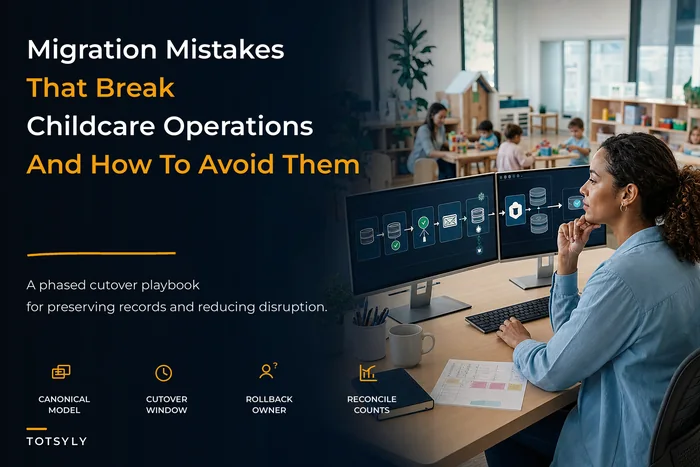
The most damaging failure mode here is the silent one — records that don't transfer and nobody notices until a family shows up with no file in the system. That's the territory the technology migration playbook covers in depth, and the same discipline applies to every ongoing integration, not just the initial migration.
Vendor lifecycle: pilot → scale → sunset
Fragmentation often comes from skipping stages. A tool goes from "someone found it" straight to "everyone's using it" with no controlled pilot, or a dead tool lingers for years because nobody owns retiring it. A defined lifecycle fixes both ends.
The lifecycle looks like this visually:
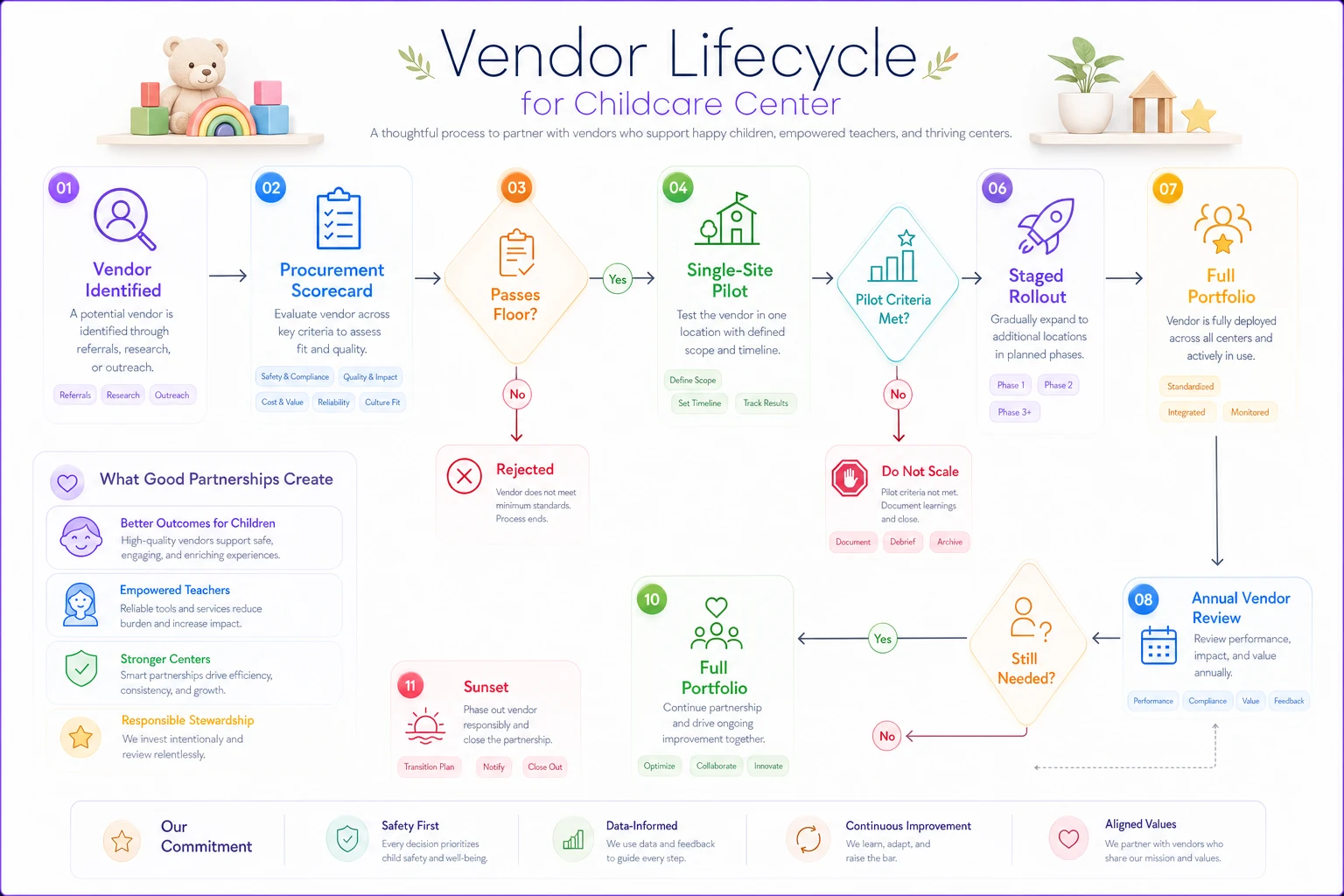
Pilot (one site, 60–90 days). Deploy at a single, representative location — not your easiest site and not your hardest. Define success criteria before you start: adoption rate, support ticket volume, time saved on a specific task, data cleanliness. Assign one owner accountable for the verdict.
Scale (staged rollout). If the pilot clears its criteria, roll out in waves. Two or three sites, stabilize, then the next wave. Each wave surfaces edge cases the pilot missed — a site with different subsidy billing, a director with different workflows. Standardize configuration during scale so site 8 isn't set up differently than site 2.
Sunset (the stage everyone forgets). Every tool eventually gets replaced. The sunset playbook: export all data in your required format, confirm it's complete, migrate anything still needed, revoke access, obtain written confirmation of deletion, and cancel billing. Portfolios routinely pay for zombie subscriptions — tools nobody uses but nobody canceled. An annual vendor inventory catches these.
Most portfolios have a decent instinct for buying software and almost no discipline for retiring it. The sunset stage is where data ownership terms in your contracts finally get tested. If you didn't negotiate clean exit terms during procurement, sunset is where that mistake comes due — often with per-record export fees and a vendor who's suddenly slow to respond. The contract-level thinking in vendor contract governance for childcare operations is what makes sunset boring instead of painful, which is exactly what you want.
A real scenario
A five-site preschool group had accumulated, over about four years, three separate systems handling attendance and two handling billing — the result of each acquisition and each director bringing their own preferences. Producing a portfolio-wide occupancy report took the operations lead the better part of two days each month, stitching exports together by hand and manually matching families who existed under slightly different names in different systems.
The bigger problem surfaced during a licensing review at one site, when they couldn't quickly produce consistent immunization records because the check-in tool at that location didn't track them the same way the others did.
They didn't rip everything out. Instead they set a data contract floor, scored existing vendors against it, and found two systems failed on export and identifier standards. Those two were sunset over about five months. The remaining tools were held to the shared schema and identifier standard, and new sites were required to adopt it from day one.
The monthly occupancy report went from a two-day manual job to something the ops lead pulled in an afternoon. The larger win was quieter: when the next licensing question came up, the record was where it was supposed to be, in the format everyone expected. They also caught somewhere around $4k–$6k a year in duplicated and barely-used subscriptions during the vendor inventory — not transformative money, but real, and it had been leaking for years.
Risk and mitigation checklist
Run through this before signing anything new, and revisit it in an annual vendor review across the portfolio:
-
[ ] No portfolio-wide export standard → Require full on-demand export as a purchase gate; reject vendors who can't meet it.
-
[ ] Inconsistent child/family identifiers across sites → Enforce a shared identifier standard in every data contract.
-
[ ] Site-level tool sprawl → Distinguish "must be standard" from "can vary," and require that even varying tools meet the data floor.
-
[ ] SLAs with no measurement or remedy → Rewrite clauses to be measurable, time-bound, and backed by service credits.
-
[ ] Integrations trusted on vendor claims → Run acceptance tests against real data at real volume before go-live.
-
[ ] No pilot before rollout → Require a single-site pilot with pre-defined success criteria.
-
[ ] Zombie subscriptions → Run an annual vendor inventory; sunset anything unused.
-
[ ] Weak exit terms → Negotiate data return format, timeline, and deletion confirmation before signing, not at breakup.
-
[ ] No single owner per vendor relationship → Assign an accountable owner for every tool in the portfolio.
-
[ ] Breach notification undefined → Set a hard notification timeline and tie it to your family-communication obligations.
This checklist isn't exhaustive, but it covers the failure modes that show up most consistently across multi-site portfolios. Run it once a year at minimum — tools change, contracts renew, and the gaps tend to accumulate quietly between reviews.
When strict governance makes sense — and when it doesn't
When it makes sense: Once you're past two or three sites, or once any acquisition enters the picture, governance stops being optional. The moment you can't answer a basic portfolio question without manual reconciliation, you've already crossed the line where a framework pays for itself.
When it's overkill: A single-site center running two or three tools doesn't need a formal vendor lifecycle playbook and a procurement scorecard. That would be process for its own sake. A simple export habit and reading your contracts carefully is enough at that scale.
Who should be cautious: Portfolios in the middle of rapid acquisition should resist the urge to force every acquired site onto one stack overnight. Enforce the data contract immediately — identifiers, exports, schema — but give tool consolidation a realistic runway. Ripping out a working system on day one of an acquisition, while staff are still adjusting to new ownership, tends to break more than it fixes.
The thread that ties it together
Fragmentation in a childcare portfolio isn't really a technology failure. It's a governance gap — the absence of agreed-upon rules about what has to be standard and who's accountable for enforcing it. Tools will always vary. Directors will always have preferences. New sites will always arrive carrying their own systems.
None of that has to produce chaos, as long as the contracts, the data floor, the acceptance tests, and the lifecycle stages are holding the shape. Get those right and you can absorb a new site, swap a vendor, or pass a licensing review without a two-day spreadsheet marathon. Skip them, and every location quietly becomes its own island — until the day you need one clean number across the whole portfolio and discover you can't get it.
None of that has to produce chaos, as long as the contracts, the data floor, the acceptance tests, and the lifecycle stages are holding the shape. Get those right and you can absorb a new site, swap a vendor, or pass a licensing review without a two-day spreadsheet marathon. Skip them, and every location quietly becomes its own island — until the day you need one clean number across the whole portfolio and discover you can't get it.
Ready to elevate your childcare management?
Join hundreds of childcare providers using Totsyly to save time, improve communication, and grow their centers.